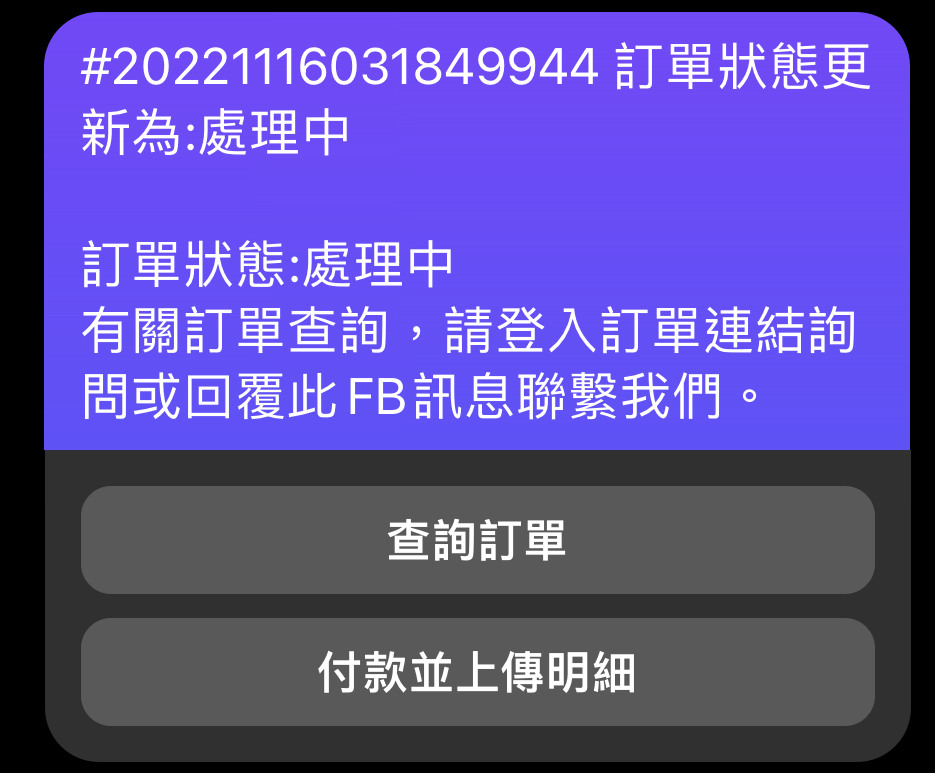
You can shop by yourself on our website or we will inform you once per week for payments if you have bought something through our Live shows.
The items chosen from the website CANNOT be added into the LIVE SHOW SHOPPING CART.
Please wait for the LIVE SHOW SHOPPING CART if you have purchased something through the LIVE SHOWS.
1.
After you have reserved your order(s) in our LIVE SHOWS,
we will send you a LIVE SHOW SHOPPING CART through FACEBOOK MESSAGER in the following week.
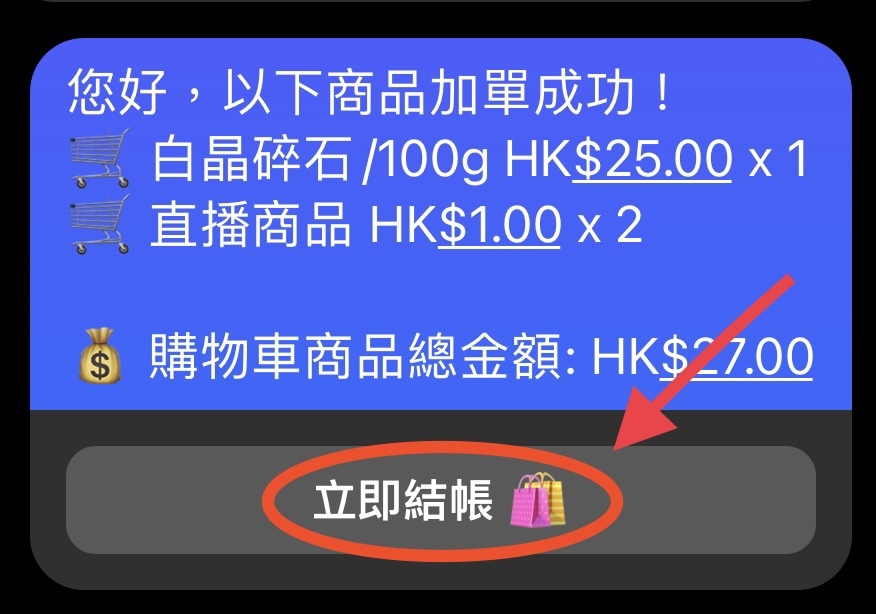
Please press [立即結帳] 。
2.
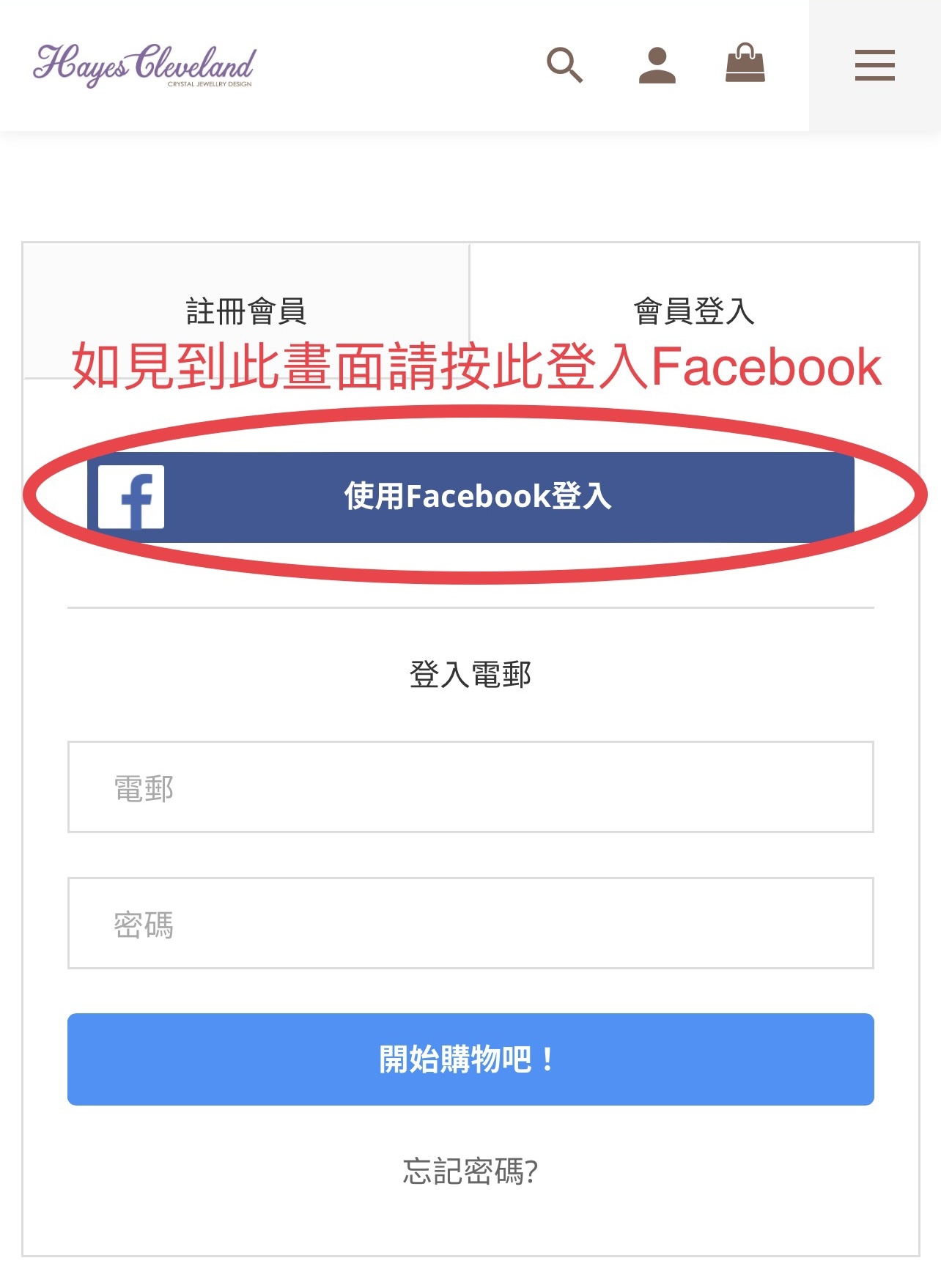
Then you will enter the Shopping Cart page.
To sign in, you need to become our member first.
You can then LOG IN by using your Email after you have signed up (RECOMMENDED),
or
LOGIN BY FACEBOOK (Not always work)。
LOGIN BY FACEBOOK (Not always work)。
3.
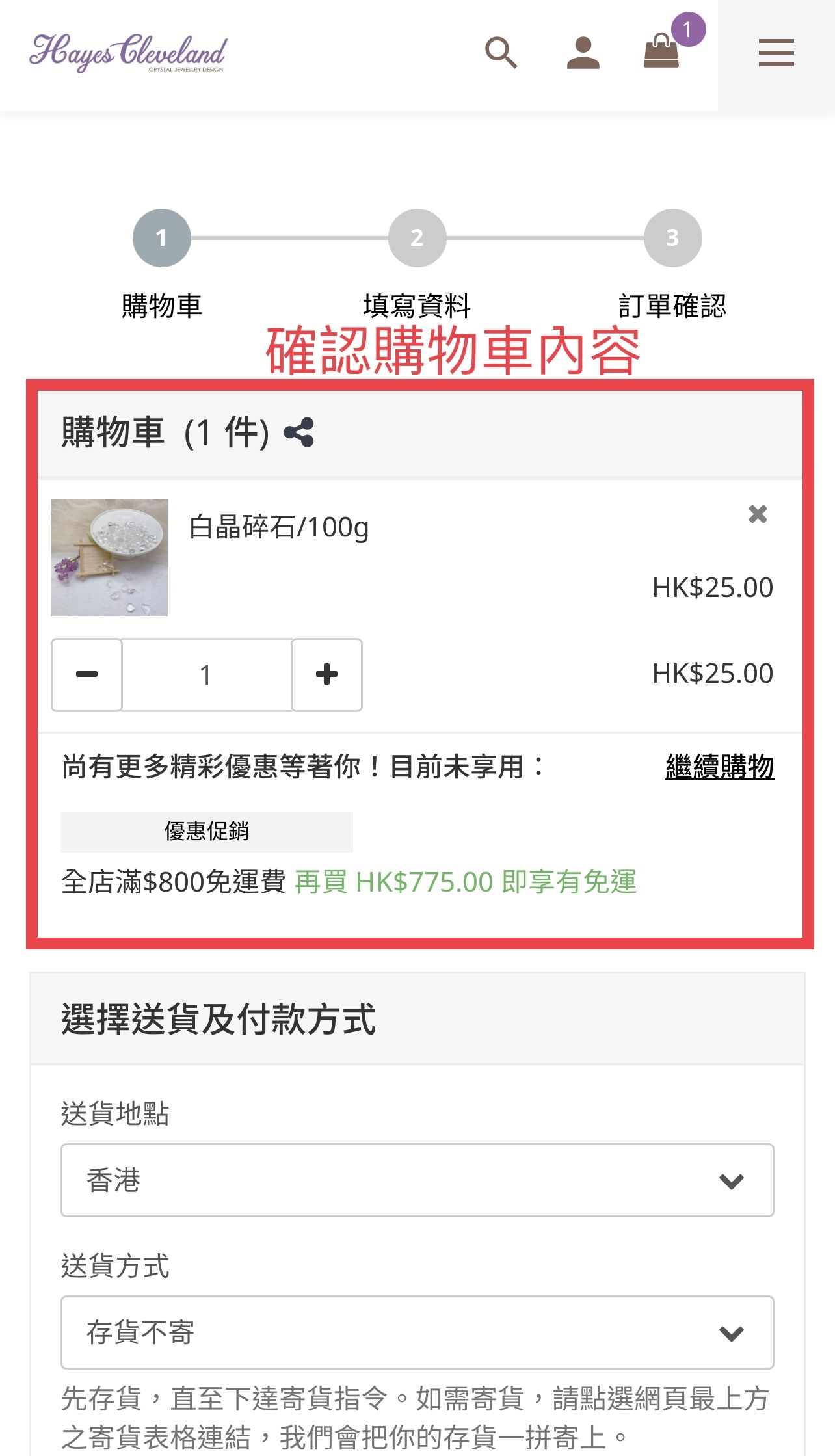
After you login, you can see your shopping cart,
please check the list。
After you login, you can see your shopping cart,
please check the list。
4.
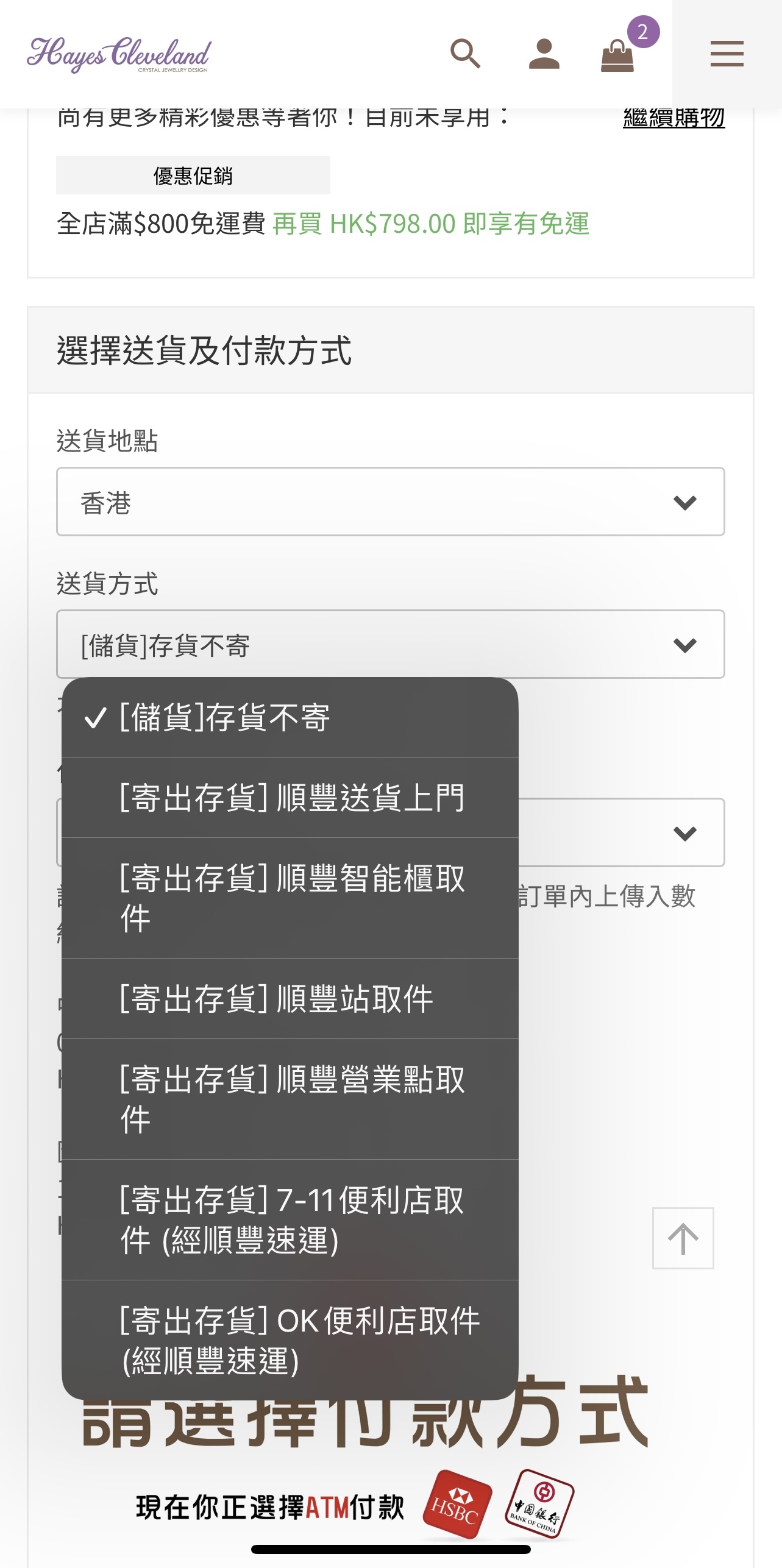
If you want to store your goods until you get the FREE SHPPING (shop HKD$800 or over),
please choose DON'T DELIVER this time.
If you want to get your goods, please choose the district and delivery method that you want.
If you want to store your goods until you get the FREE SHPPING (shop HKD$800 or over),
please choose DON'T DELIVER this time.
If you want to get your goods, please choose the district and delivery method that you want.
5.
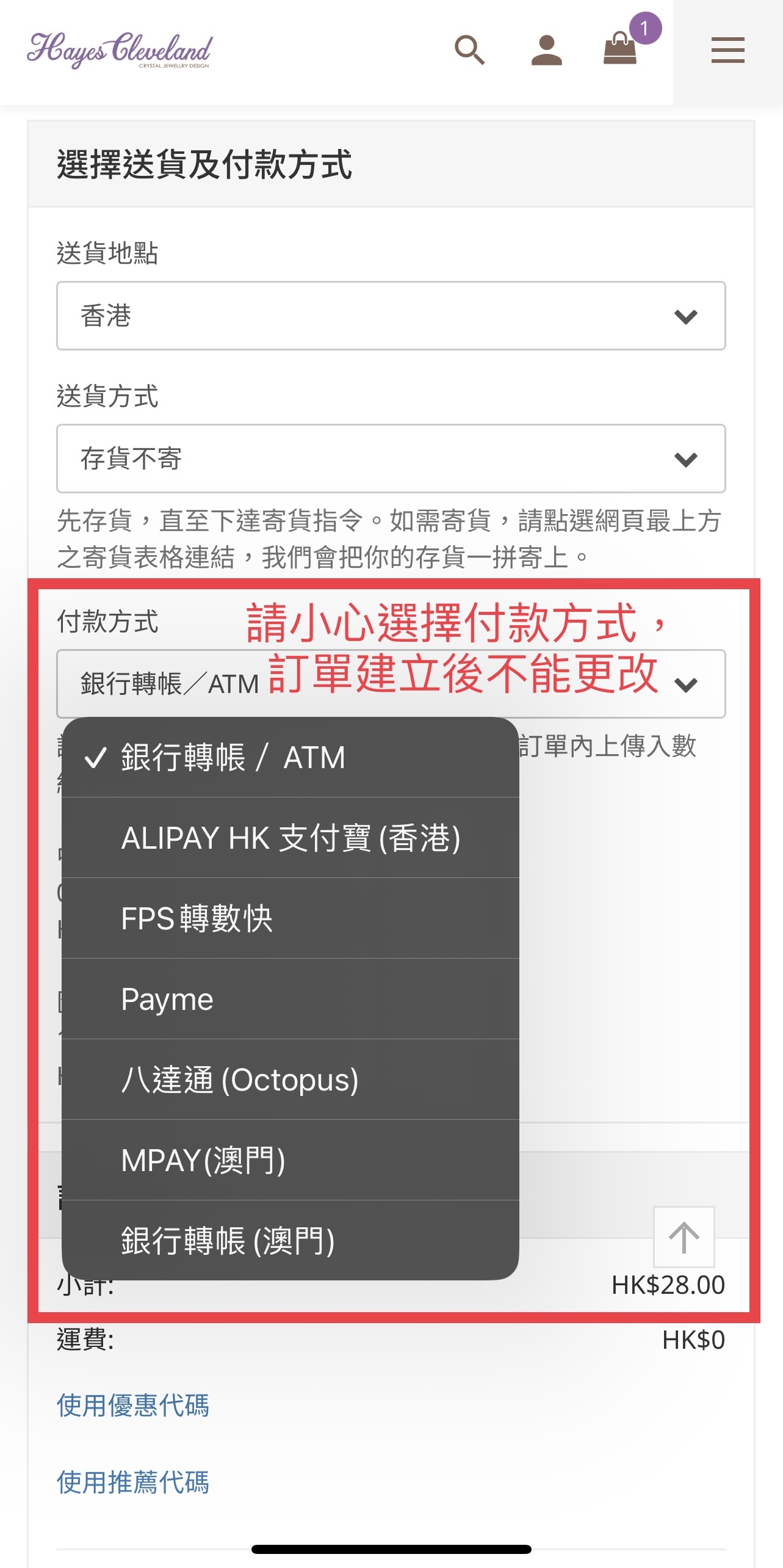
Choose payment method, the method cannot be changed after the order made.
Choose payment method, the method cannot be changed after the order made.
You can choose ATM / ALIPAY HK / FPS / PAYME / Octopus。
- PAYME/ALIPAY/OCTOPUS will open the payment app automatically and you need to pay for the bill immediately.
You can pay lately by using ATM or FPS, and upload receipt after finishing payment.
6.
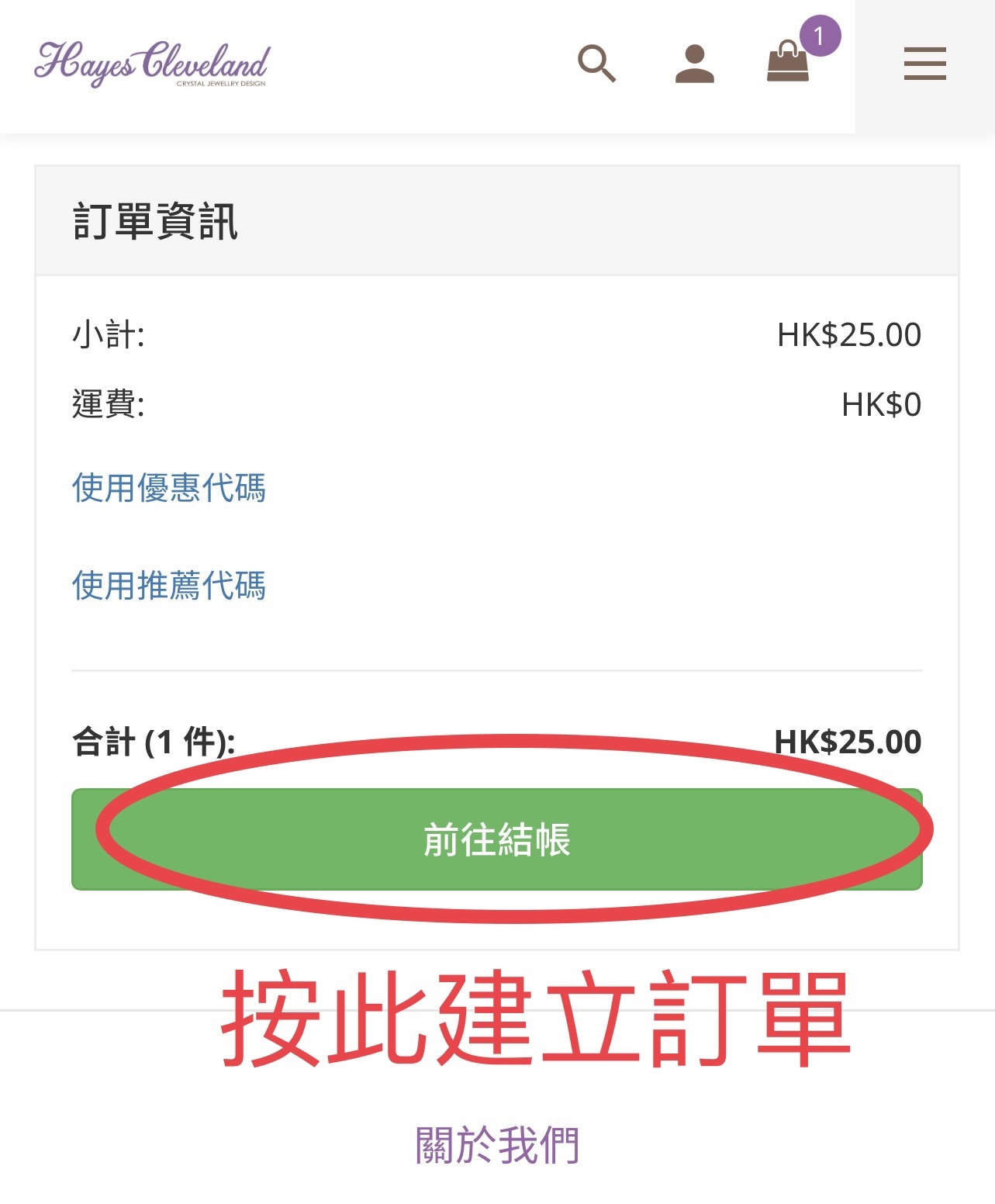
Press「前往結帳」to next step。
Press「前往結帳」to next step。
7.
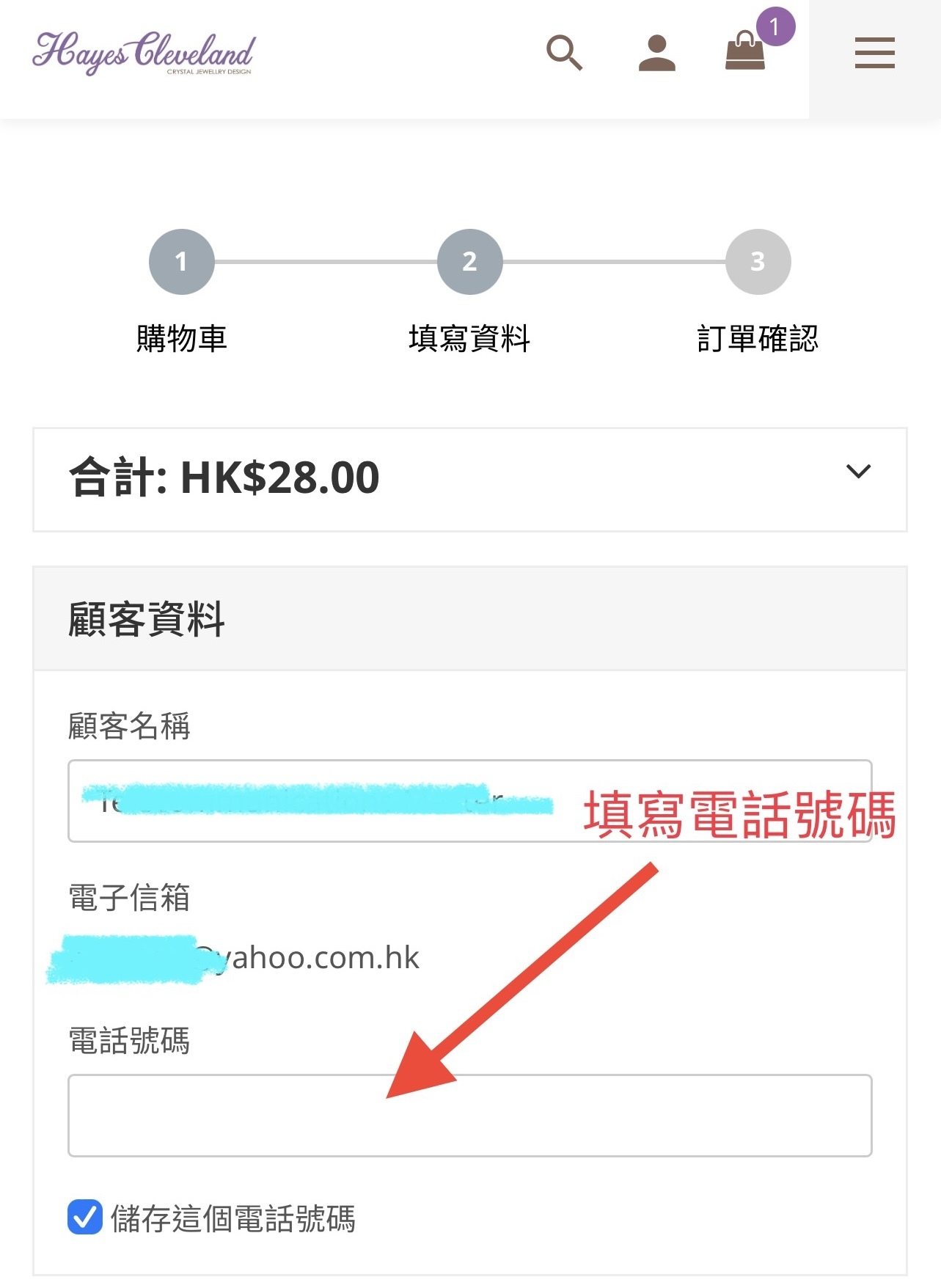
Input your information。
Input your information。
8.
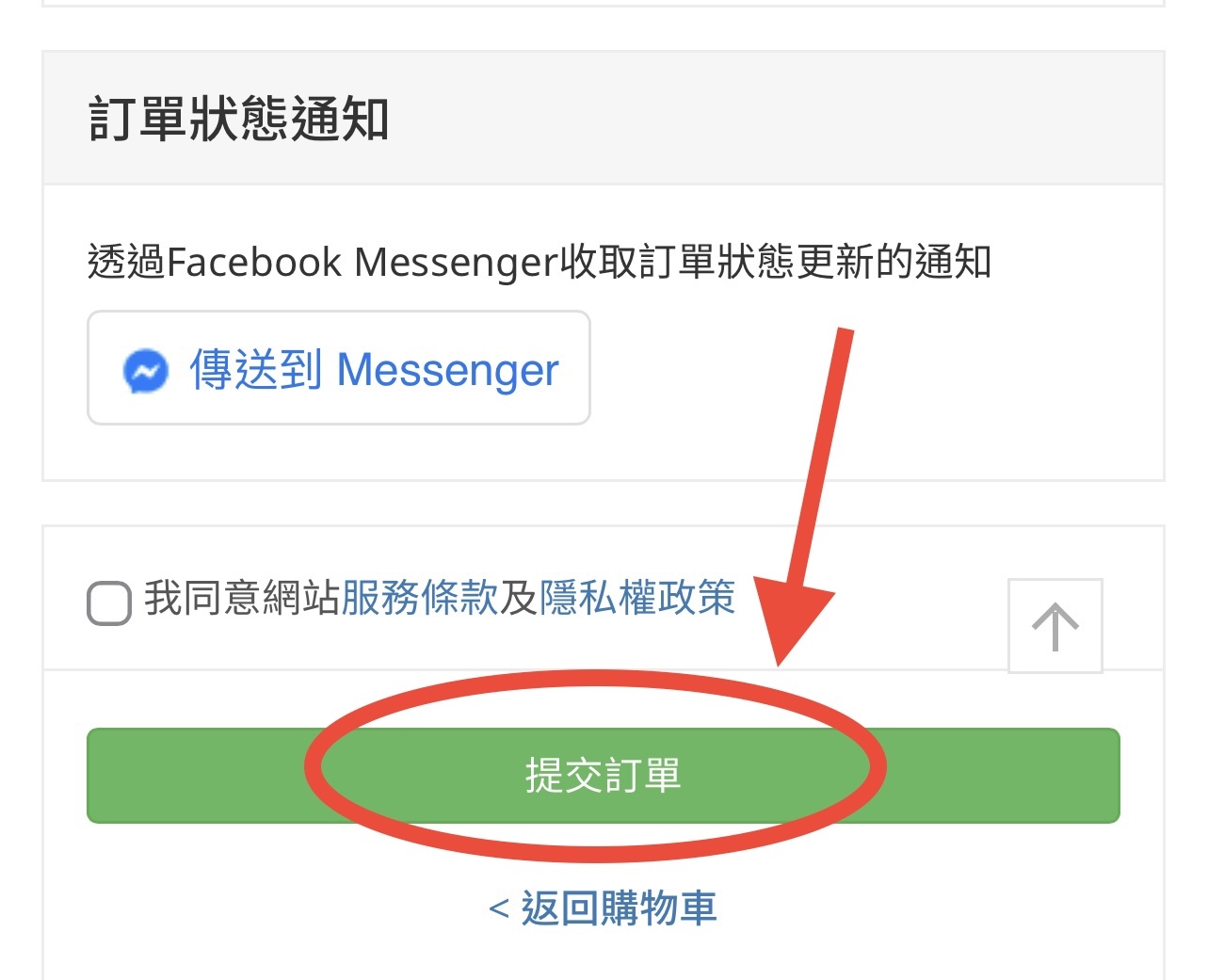
Press「提交訂單」
Press「提交訂單」
10.
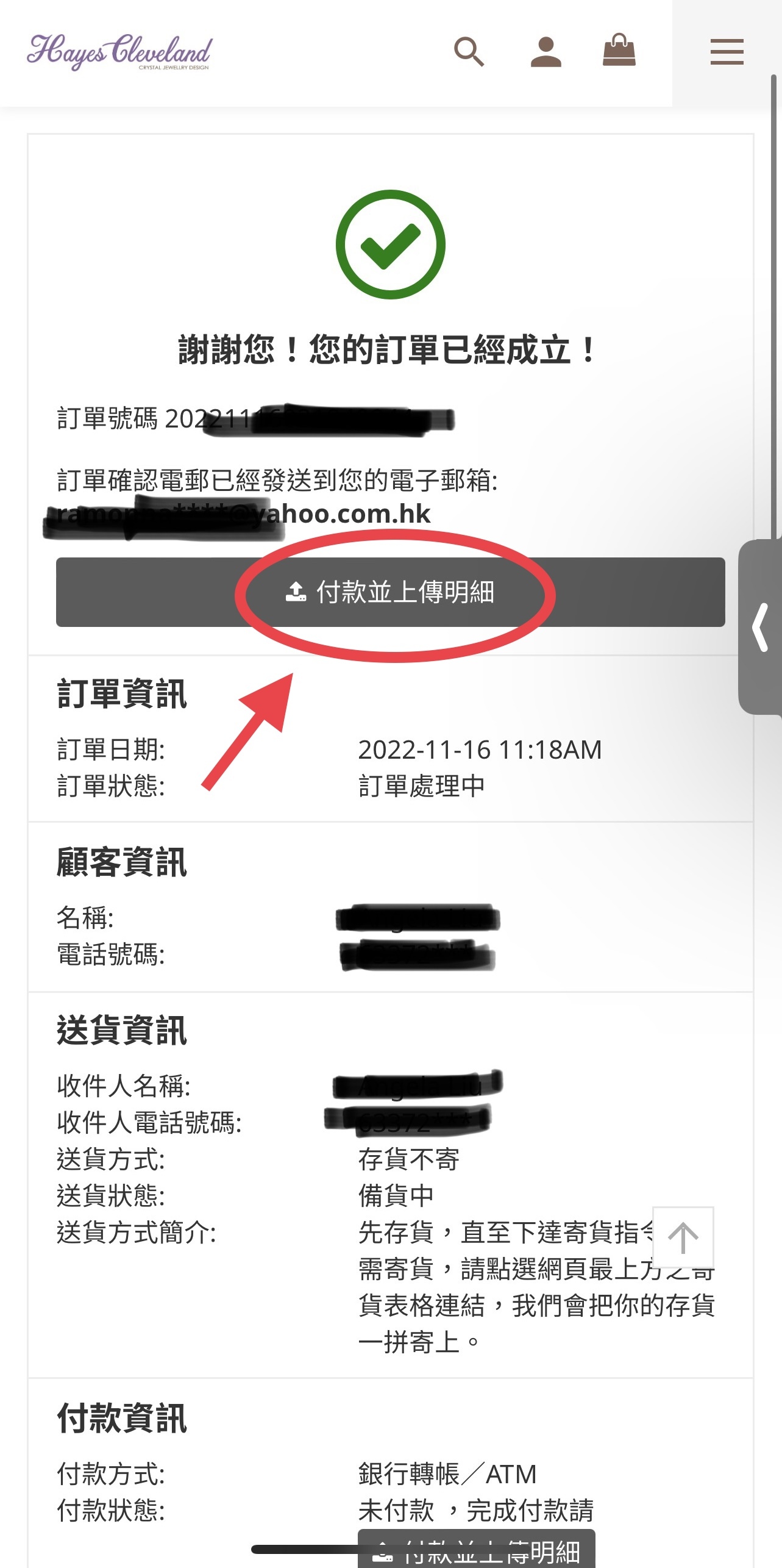
If you use ATM/FPS,
If you use ATM/FPS,
Please use 「付款並上傳明細」to upload the receipt.
11.
You can recieve message by FACEBOOK MESSAGER,
there is a upload receipt button also.